|
|
Record lesson videos and explain everything right from your iPad.
Quickly create engaging instructional videos and presentations, just by writing and speaking.
Flip your classroom, own your content.
Fire up Vittle.
Drop in photos from your camera roll.
Hit record, and start writing and talking.
It's that easy.
Vittle works like a magic whiteboard that records what you write and say:
- Annotate and sketch using the ultra-smooth ink of our proprietary Inkflow Engine,
- Resize and move anything around the page,
- Zoom in to focus on key points,
- Visually navigate through even complex topics.
Use Vittle to create video lectures and flip your classroom.
Get your point across exactly and in an impactful way.
Collaborate across time and space like never before.
Videos that you own and control.
Vittle produces HD video files that you own and fully control.
They can be easily shared on Facebook, YouTube, Vimeo, or elsewhere.
You can also email videos directly, or securely post them to your own servers.
No third party service is needed.

Free Download
|

Evaluate Vittle For Free
Download the Free Edition of Vittle today from the App Store,
and see for yourself how easily it can amplify your impact.
Upgrade at any time.
Expand with your needs
There are two full editions of Vittle: Vittle and Vittle Pro.
|
Vittle |
Vittle Pro |
| Multi-project gallery |
X |
X |
| Unlimited length recording with no watermark |
X |
X |
| Video scene editor |
X |
X |
| Custom pen colors, width, and opacity |
X |
X |
| Laser pointer |
X |
X |
| HD Videos |
720p |
1080p |
Import PDF slide decks and documents
from Keynote, PowerPoint, and more. |
|
X |
| Type text with multiple fonts |
|
X |
| Widescreen videos |
|
X |
| Adjust video speed 1.0-2.0x |
|
X |
| Camera lock and smooth pan |
|
X |
| Custom page background colors |
|
X |
| Color-Select (separate ink by color) |
|
X |
| Flip selected ink |
|
X |
| Export to PDF |
|
X |
Folks Love Vittle!
We work hard to build 5-star Apps, and are very grateful for all our 5 star reviews. Here are a few:
★★★★★ Wow!
"Unbelievably slick for classroom use! Easy to do lectures on the fly--illustrating physics problems and working equations... extremely easy to drop images in on the fly, too." -- ArNeJ2
★★★★★ Great way to share presentations
"I've been using the app to record PowerPoint presentations with my narration and then share them. Great tool." -- Pmartin74
★★★★★ Great tool that's easy to use
"I'm a visual communicator and I like that Vittle let's me create a whiteboard video of thoughts with a simple and intuitive interface! I can also see my 5 year old niece creating cards with this, great idea that's been we'll executed..." -- IMAConsumer
Read more reviews in iTunes.
Check out our other Vittles:
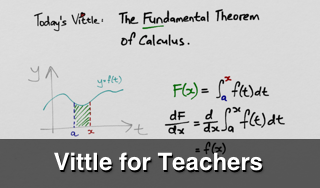
User's Guide
Also check out the Vittle User's Guide for a detailed look at all the features of Vittle.
Volume Purchase Discount
You can also buy Vittle at a 50% discount in packs of 20 or more for your school or business.
Help Us Spread the Word!
We rely on our fans to help make people aware of our work.
If you know someone who might benefit from our Apps, please tell them about us.
You can also follow us on Twitter, or share a link to our website.
If you would like to write an article about Vittle on your blog or magazine, you can get high-resolution artwork and a text description in the Media Kit.
It means a lot to us. Thanks.
The Future of Creativity Apps
We strongly believe that the iPad is not just a consumption
device. It's a powerful creativity device.
Vittle is a new kind of tool that's designed specifically with the iPad in mind.
We hope you enjoy it!
Download Vittle for Free
from the App Store.
Free Download
If you like Vittle, also check out:

 Sign up for our low-traffic newsletter to be the first to hear about new tips, tricks, and Apps.