iPad & Mac Digital index cards

Index cards are awesome.

Jot ideas on cards with Apple Pencil, spread them out on a big board, then stack, shuffle and arrange them with a swipe. All the power of paper index cards, without the forest-pulping guilt.

New to Cardflow? Start with the free edition
iPad Mac Apple Pencil
Story Ideas Big idea! one idea per card Scene 3 the plot twist (she knew all along) H₂O flip for answer ↻ v2 One swipe, instant grid!
Take the tour

See Cardflow in action.

A narrated walkthrough of Cardflow, from jotting your first card to arranging a whole board.

More short clips on our feature videos page

Features

The ease of paper,
with a little magic.

If you already use index cards, you can switch to Cardflow without missing a beat. Then you'll discover all the things you can do with cards that just aren't possible with pen and paper.

Write naturally

Silky-smooth vector ink from our Inkflow engine. Turn on Pencil-only mode or pull up the wrist guard and rest your palm on the screen.

Magic Arrange

Select some cards and swipe with three fingers to snap them into stacks, rows, columns or grids. Shuffle or sort them with a tap.

Two-sided cards

Every card has a front and a back. Tap with two fingers to flip one card, or a whole selection at once. Perfect for flash cards.

Ink, text & photos

Handwrite, sketch or type on any card, and mix in photos and web pages. Pick from templates like lined, grid, checklist and storyboard.

Card links

Link cards to each other to build tap-through prototypes and connected notes. Links keep working in exported PDFs.

Pro ink tools

Clean up sketches with the shape recognizer, add shading with Draw Behind, and move or recolor ink with Color-Select.

Export & share

Share a board or single cards as high-resolution PDFs, or export text, CSV and OPML. Import cards from a spreadsheet, too.

Your boards, in the cloud

Keep boards in iCloud Drive or another cloud service. Changes save back automatically, and you can open them on your Mac.

Search & sort

Find cards by the words on either side, and color-code boards by category so you can find a project fast.

Ideas

Use it your way.

You're not locked into any one system or method. Here are a few of the ways people use Cardflow.

Storyboards

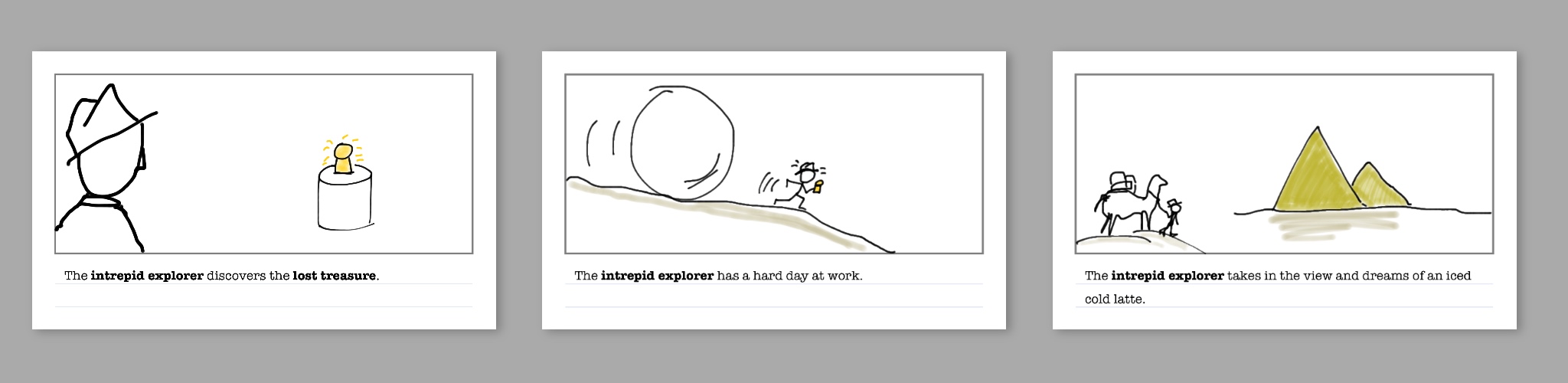
Plan a film, novel or presentation one scene per card. The storyboard template leaves room for a sketch and a caption.

A row of storyboard cards in Cardflow with hand-drawn scenes and captions

Wireframes

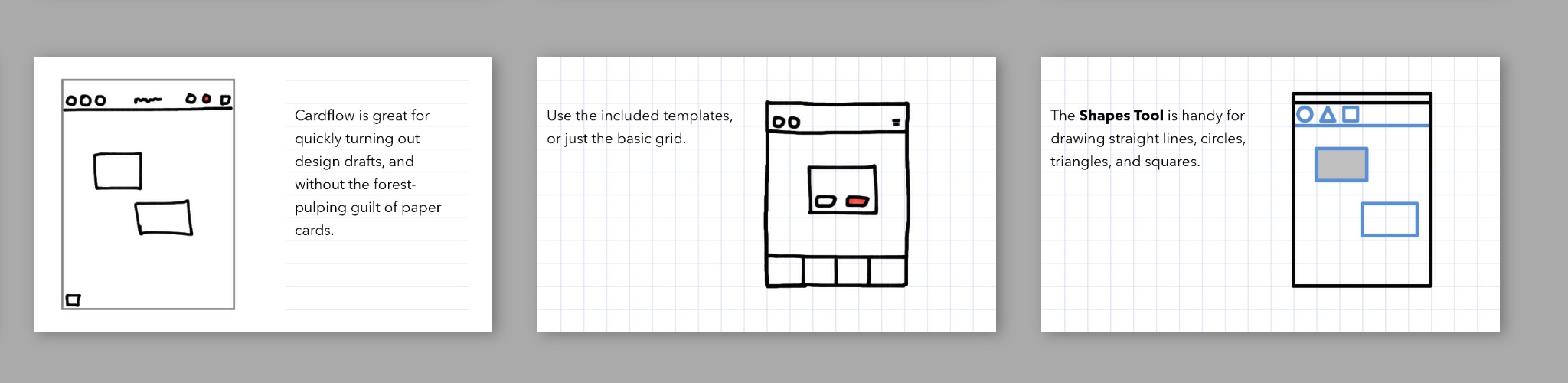
Draft app and web layouts on the grid template, straighten boxes with the shape tool, then link cards into a clickable prototype.

Wireframe sketches of an app on grid cards in Cardflow

To-dos & projects

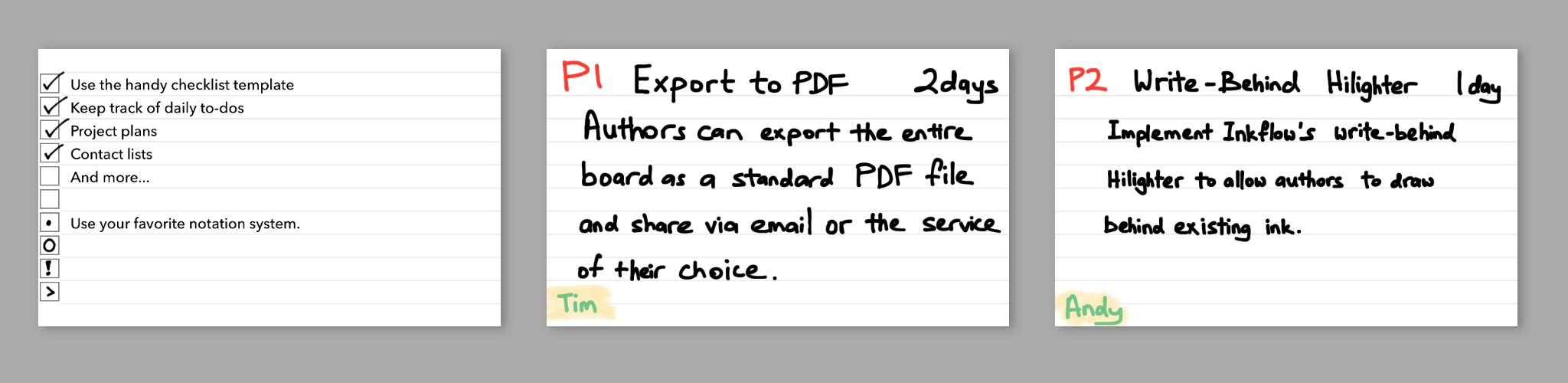
Keep your daily list on a checklist card, and lay out whole projects as columns of cards you can move along as work gets done.

Checklist and project planning cards in Cardflow

Brainstorming

Write one idea per card, spread them all out, then group and refine them later, on your own or with a team.

Studying

Make flash cards with the question on the front and the answer on the back. Shuffle, flip and quiz yourself.

Writing & outlining

Put each point on its own card, rearrange until the story flows, then export an outline to your writing app.

Editions

Start free. Upgrade anytime.

The free edition of Cardflow includes a special board where you can try every Cardflow+ feature, so you can see how it fits your workflow before you buy.

Cardflow

Free

Everything you need to get started with digital index cards.

  • Write, sketch or type on cards
  • Arrange cards on a big board
  • A trial board with every Cardflow+ feature
Get Cardflow free

Cardflow+

The full toolkit

Everything in Cardflow, plus:

  • Cloud sync
  • Draw right on the board
  • Card links
  • Photos & web pages on cards
  • Draw Behind mode
  • Color-Select & recolor ink
  • Shape recognizer
  • Custom color palette
  • Export to PDF, text, CSV & OPML
  • Full-text search
Get Cardflow+
FAQ

Questions,
answered.

For a walkthrough of every feature, see the Cardflow User's Guide. Still stuck? Send us feedback and we'll get back to you.

What's the difference between Cardflow and Cardflow+?

Cardflow is free and covers the basics of writing on cards and arranging them on a board. Cardflow+ adds cloud sync, drawing on the board, card links, photos and web pages, Draw Behind, Color-Select, the shape recognizer, a custom palette, full-text search, and export to PDF, text, CSV and OPML. The free edition includes a trial board so you can test all of them.

Does Cardflow run on Mac?

Yes. Cardflow for Mac is a separate app. Store your boards in iCloud Drive and you can edit the same files on your iPad and your Mac.

Does it work with Apple Pencil?

Absolutely. Cardflow is built for Apple Pencil. Turn on Pencil-only mode to ignore touches from your palm and fingers, or use the wrist guard. You can also draw with your finger.

Can I use Cardflow for flash cards?

Yes. Put a question on the front and the answer on the back, then flip cards with a two-finger tap and shuffle them with Magic Arrange. You can also build a deck in Numbers and import it as a CSV file.

How do I print or share my boards?

Export a whole board as a single PDF page, or each card on its own page, then share or print it from the Share menu. Card and web links keep working in the PDF. Cardflow+ can also export text, CSV and OPML.

Where are my boards stored?

New boards are stored on your iPad. With Cardflow+, you can copy a board to iCloud Drive or another cloud service, and your changes are saved back there automatically.

Do you offer discounts for schools?

Yes. Schools and businesses can buy Cardflow+ at 50% off in packs of 20 or more through Apple's volume purchase program.

sort it out

Stationery for the 21st century.

Get Cardflow+ for the full toolkit, or start with the free edition.

Writing about Cardflow? Grab artwork and a description from our media kit.